Actor with concurrency groups
The builder writes an actor class whose methods run in separate concurrency groups: up to four I/O calls at once, compute calls one at a time.
When to use it. One actor that serves both slow I/O calls and CPU-bound calls, where the slow calls must not block the others.
The picture below is the graph drawn in Eugo's visual Ray builder, and the cell under Generated code is the Ray code the builder produced from it. The code is plain Ray: it runs without the builder.
Back to the gallery · Tested with Ray 2.55.1
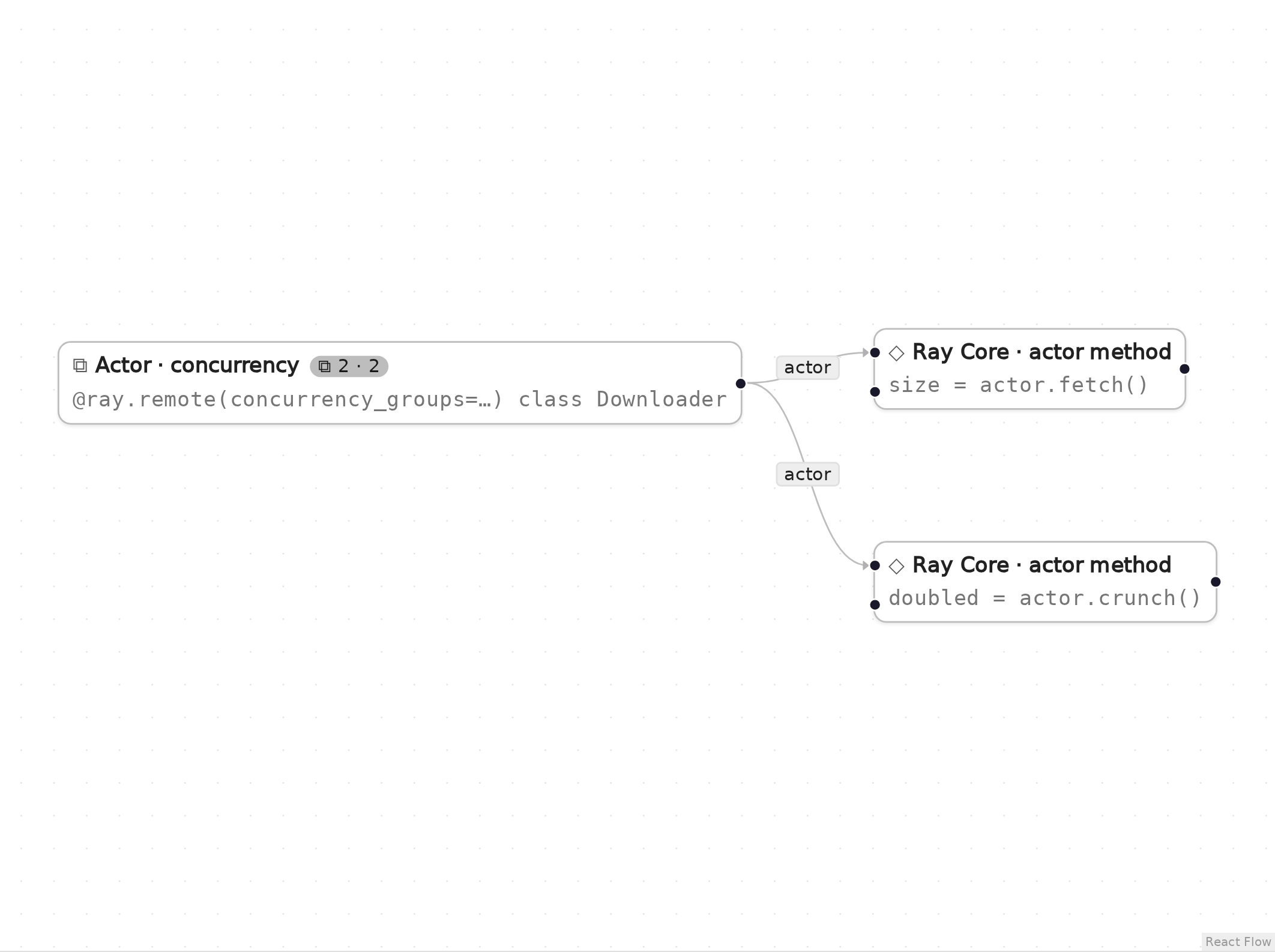
The graph in Eugo's visual Ray builder.
Setup
Start a local Ray instance. The options keep the notebook quiet: no dashboard, and worker logs stay out of the notebook. Ray is capped at four CPUs so the example behaves the same on any machine. The generated code below only calls ray.init() when Ray is not running yet, so it reuses this instance.
import ray
ray.init(include_dashboard=False, log_to_driver=False, logging_level="ERROR", num_cpus=4)
RayContext(dashboard_url='', python_version='3.12.3', ray_version='2.55.1', ray_commit='237c2455ebb1ea15a32dd9e1fdeb2d617badc37f')
User functions
The nodes in the graph call these ordinary Python functions and classes. In the builder you write them in a normal notebook cell, and the generated code refers to them by name.
# The actor class itself is written by the builder from the node's settings.
# Its method bodies use the time module, so import it here.
import time
Generated code
This is the cell the visual builder generated from the graph above.
# Generated with Eugo's visual Ray builder

import ray

if not ray.is_initialized():
    ray.init()

@ray.remote(concurrency_groups={"io": 4, "compute": 1})
class Downloader:
    @ray.method(concurrency_group="io")
    def fetch(self, url):
        time.sleep(0.1)
        return len(url)

    @ray.method(concurrency_group="compute")
    def crunch(self, x):
        return x * 2

dl = Downloader.remote()
_m1 = dl.fetch.remote("https://example.com")
size = ray.get(_m1)
_m2 = dl.crunch.remote(21)
doubled = ray.get(_m2)
Check the result
The cell below checks that the generated code did what the graph describes.
assert size == len("https://example.com"), size
assert doubled == 42, doubled
print("size =", size, "doubled =", doubled)
size = 19 doubled = 42
How the graph maps to the code
Each step names a node in the picture, the lines of the generated cell it produced, and what those lines do. The node id (for example n1) is also the suffix of the variable that holds the node's result.
Setup (lines 1, 3 and 5–6)
# Generated with Eugo's visual Ray builder
...
import ray
...
if not ray.is_initialized():
    ray.init()
The first line marks the cell as generated. The builder then adds an import for every Ray API the graph uses and a guarded ray.init(), so re-running the cell reuses the running cluster.
Actor (concurrency) (node a1, lines 8–13, 15–17 and 19)
@ray.remote(concurrency_groups={"io": 4, "compute": 1})
class Downloader:
    @ray.method(concurrency_group="io")
    def fetch(self, url):
        time.sleep(0.1)
        return len(url)
...
    @ray.method(concurrency_group="compute")
    def crunch(self, x):
        return x * 2
...
dl = Downloader.remote()
concurrency_groups on @ray.remote declares two thread pools; @ray.method(concurrency_group=...) assigns each method to one. The builder writes the class from the node settings.
Actor method (node m1, lines 20–21)
_m1 = dl.fetch.remote("https://example.com")
size = ray.get(_m1)
fetch runs in the io group, so up to four calls can overlap.
Actor method (node m2, lines 22–23)
_m2 = dl.crunch.remote(21)
doubled = ray.get(_m2)
crunch runs in the compute group, one call at a time, unaffected by slow fetches.
Clean up
Shut down Ray, so the next notebook starts fresh.
ray.shutdown()