Distributed queue between a producer and a consumer
A ray.util.queue.Queue connects a remote producer task to a remote consumer task. The builder writes both tasks for you.
When to use it. Hand-off between stages that run at different speeds, or streaming work items to a pool of consumers.
The picture below is the graph drawn in Eugo's visual Ray builder, and the cell under Generated code is the Ray code the builder produced from it. The code is plain Ray: it runs without the builder.
Experimental. The builder lists a node in this graph in its Experimental section, so the node may change in later releases of the builder. The generated code ran on Ray 2.55.1.
Back to the gallery · Tested with Ray 2.55.1
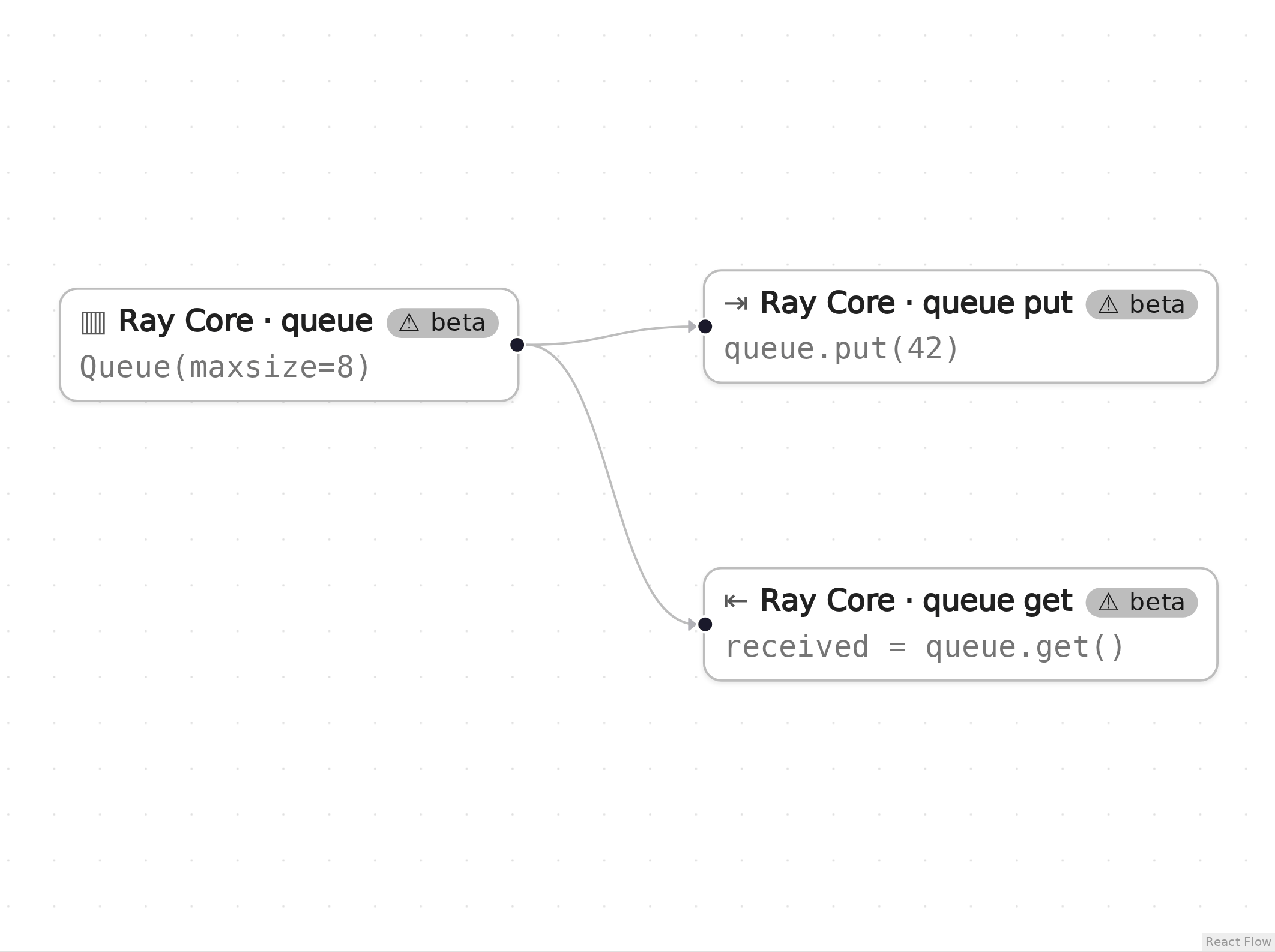
The graph in Eugo's visual Ray builder.
Setup
Start a local Ray instance. The options keep the notebook quiet: no dashboard, and worker logs stay out of the notebook. Ray is capped at four CPUs so the example behaves the same on any machine. The generated code below only calls ray.init() when Ray is not running yet, so it reuses this instance.
import ray
ray.init(include_dashboard=False, log_to_driver=False, logging_level="ERROR", num_cpus=4)
RayContext(dashboard_url='', python_version='3.12.3', ray_version='2.55.1', ray_commit='237c2455ebb1ea15a32dd9e1fdeb2d617badc37f')
User functions
This pattern needs no user functions: the builder writes the producer and the consumer tasks, and the producer puts the literal value 42 on the queue.
Generated code
This is the cell the visual builder generated from the graph above.
# Generated with Eugo's visual Ray builder

import ray
from ray.util.queue import Queue

if not ray.is_initialized():
    ray.init()

_queue_q1 = Queue(maxsize=8)
@ray.remote
def _qput_q2(q, item):
    q.put(item)
_qput_q2.remote(_queue_q1, 42)
@ray.remote
def _qget_q3(q):
    return q.get()
received = ray.get(_qget_q3.remote(_queue_q1))
Check the result
The cell below checks that the generated code did what the graph describes.
assert received == 42, received
print("received =", received)
received = 42
How the graph maps to the code
Each step names a node in the picture, the lines of the generated cell it produced, and what those lines do. The node id (for example n1) is also the suffix of the variable that holds the node's result.
Setup (lines 1, 3–4 and 6–7)
# Generated with Eugo's visual Ray builder
...
import ray
from ray.util.queue import Queue
...
if not ray.is_initialized():
    ray.init()
The first line marks the cell as generated. The builder then adds an import for every Ray API the graph uses and a guarded ray.init(), so re-running the cell reuses the running cluster.
Queue (beta) (node q1, line 9)
_queue_q1 = Queue(maxsize=8)
Creates the queue (an actor under the hood) with room for 8 items.
Queue put (beta) (node q2, lines 10–13)
@ray.remote
def _qput_q2(q, item):
    q.put(item)
_qput_q2.remote(_queue_q1, 42)
A generated remote task that puts 42 on the queue.
Queue get (beta) (node q3, lines 14–17)
@ray.remote
def _qget_q3(q):
    return q.get()
received = ray.get(_qget_q3.remote(_queue_q1))
A generated remote task that blocks until an item arrives. The consumer is submitted after the producer, but the two tasks can run in either order: if the consumer starts first, q.get() waits for the producer's item.
Clean up
Shut down Ray, so the next notebook starts fresh.
ray.shutdown()